Share Safe and Convert are free and require no account. Batch is a preview in this browser.
-
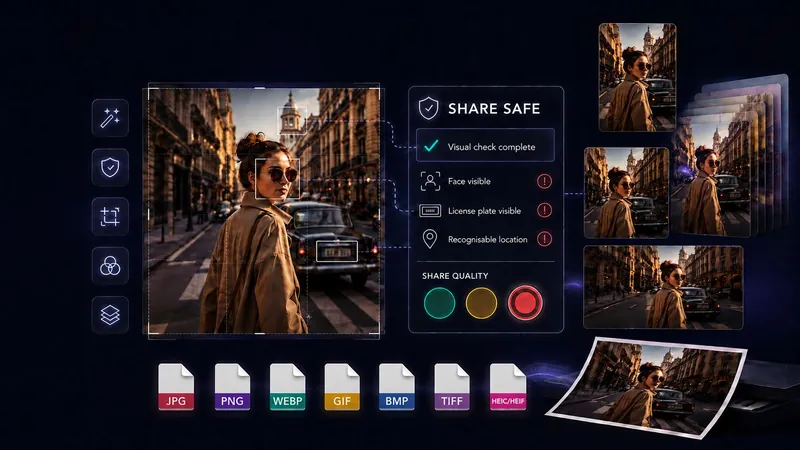
Share Safe
Scan for privacy risks, remove sensitive metadata, and prepare an image for safer sharing.
Read about Share Safe privacy tools -
Convert
Convert between common image formats and save new copies on your device.
Output: JPG, PNG, WebP, GIF, BMP or TIFF. HEIC/HEIF is input only.
Read about image conversion Collage
Combine up to 10 photos in ready-made social-media templates. Drag each image into a separate frame to create a finished collage.
Read about photo collages-
Batch
Prepare multiple images together. Batch is currently available as a browser preview.
Batch is a preview in this browser.
Read about batch processing -
Remove Background & Objects
Remove or replace backgrounds, or mark unwanted objects and text for local AI removal.
Read about background and object removal -
AI Upscale
Improve detail with local AI, then drag the before/after handle to compare.
Read about AI image upscaling -
Crop
Crop with rectangle, circle or oval shapes and choose the surrounding colour.
Read about image cropping -
Image Filters
Choose Original, Vivid, Soft, Warm, Cool, B&W or Vintage, then adjust strength, brightness, contrast, saturation and warmth.
Read about image filters -
Open common image files
Convert: JPG, PNG, WebP, GIF, BMP, TIFF and HEIC/HEIF. Share Safe: JPG, PNG, WebP and BMP.
Open function -
Set the size
Original dimensions · Longest edge · 1920 px · Longest edge · 1600 px · Longest edge · 1080 px · Custom longest edge
Open function -
Use ready-made size templates
Create Stories and Reels, vertical feed, square, landscape and Pinterest images.
Open function -
Create several sizes from one image
Select every format you need and prepare them in the same workflow.
Open function -
Adjust each format separately
Move and scale every selected crop independently, with safe-zone guides and enlargement warnings.
Open function -
Rotate & flip
Rotate the working image left or right, or mirror it horizontally or vertically.
Open function -
Remove objects
Place a resizable frame closely around one piece of text. Local AI reconstructs the selected background, so results are best on simple backgrounds and should be reviewed carefully.
The first use downloads about 93 MB. After the model is cached, the tool can work offline.
Open function -
Hide sensitive details
Add multiple movable, resizable and rotatable privacy areas using blur, pixelation or a solid colour cover.
Set the blur amount, pixel size, cover colour and angle separately for each area.
Open function -
Add flexible captions
Use multiple captions, system or device fonts, size, rotation, bold, italic, colour, panels, drop shadow and text outline.
Open function -
Add text or logo watermarks
Choose signature, protective or repeated styles and adjust position, size, opacity, rotation and colour.
Open function -
Remove private metadata
Create finished images without carrying over the original location, device or capture information.
After the app’s core files have been cached, metadata removal remains available offline.
Open function -
Undo, redo and compare
Reverse editing changes, restore the original crop and temporarily compare edits with the original image.
Open function -
Keep everything on your device
Your image is processed inside this browser. It is not uploaded to GeckoShareSafe or sent to cloud processing.
Your image stays on your device. Your original is never changed.
Open function